
MRI Software payments by the numbers
50
years in PropTech
6M
global MRI users
45K
clients worldwide

ENGAGE APPLY
The leasing portal
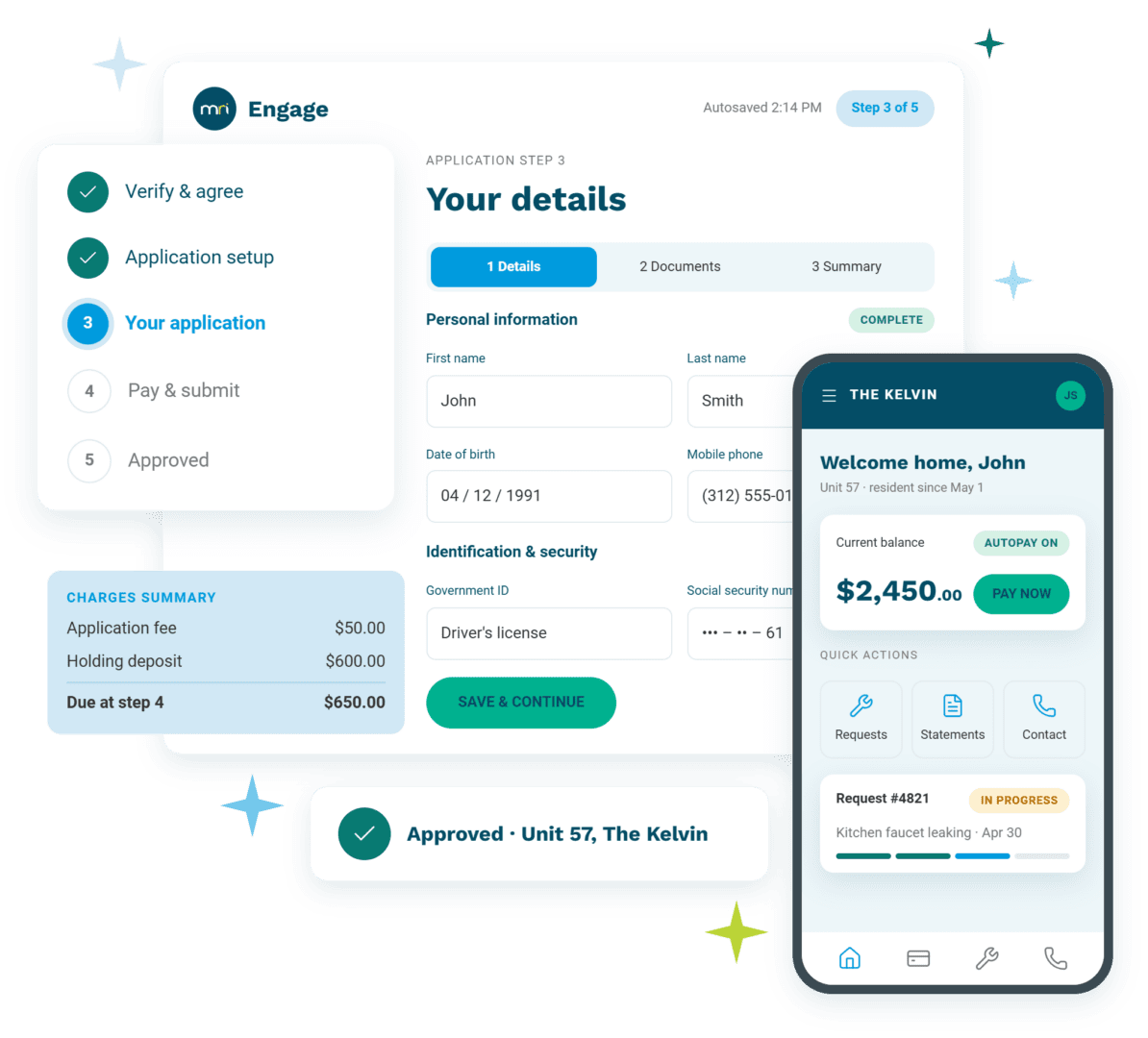
Renters finish the application in one sitting: smart autofill cuts application time by 60%, and ID verification, payments, e-signatures, and renters insurance are built into the flow, not linked out of it. Screening starts at submission, co-applicants join by link, and your team sees exactly where anyone drops off.

THE HANDOFF
One account, two stages
The account a renter creates to apply is the one they keep as a resident. Approval carries the lease, documents, and payment details forward, and the first rent payment happens in a portal they already know — no activation email, no second password, in the busiest week of the relationship.

ENGAGE CONNECT
The resident portal
Residents pay rent, submit service requests with photos, and sign their renewal, all in the same portal they already open every month. Nothing gets re-entered on the back end. Every action writes straight back to the record the leasing team started, so the office fields fewer routine calls and always knows where things stand.
One simple interface for applicants and residents. Everything else working in place behind it.
No unnecessary friction for renters. Screening, payments, and signatures all happen without ever sending someone away from the portal to finish the job.
MRI ENGAGE PROTECT
Screening in the flow
ID, income, and background checks built into the leasing workflow, so your team doesn’t have to chase down documents or manually request a verification.
MRI ENGAGE PAY
Payments on the record
Deposits at signing and rent after move-in, paid in the portal and landing on the resident record and the ledger.
MRI ENGAGE SECURE SIGN
Signing where they already are
Leases and renewals signed in the same session, purpose-built for real estate documents.
Move-in shouldn’t be another login.
The typical setup creates too many points of friction in the leasing process, then again when the applicant is ready to move in. That handoff lands right in the middle of the relationship’s most valuable stretch.
Engage keeps one account for renters, and one renter card in the CRM, from application to move-in to the next lease.
Every task a resident completes in the portal is one your team didn’t.

Applications that finish
A mobile-first flow with smart autofill means fewer abandoned files — applications complete 60% faster than legacy prospect portals, and 25%+ of prospects apply sight unseen.
Fewer calls, arriving with context
Payments, requests, documents and renewals self-served in the portal cut the routine calls — and the requests that do reach the office arrive as records with photos and history, not messages.
Renewals with less friction
A renewal offered and signed in the portal a resident already opens every month meets less resistance than one that starts with an email and ends at a print-out.
The resident-facing half of the front office
The portals are where MRI Engage meets the resident. Behind them, Engage CRM holds the record every portal action writes to; above them, the whole lead-to-renewal story; beneath everything, payments and lease events land in the property management software for accounting and financial record management.
MRI ENGAGE
Leasing & Resident Engagement
Handles the front office end to end, connecting seamlessly with the back-office systems and platform that underpin the full multifamily suite.
MRI ENGAGE CRM
Multifamily CRM
The hub for the front office. Where guest cards become applications, and where the record behind both portals actually lives.
MRI PMX
The back office accounting & financials
Accounting, operations and the ledger the front office writes to. Engage CRM syncs guest cards with PMX Residential Management in real time.
Frequently asked questions
What is the difference between the leasing portal and the resident portal?
Do applicants have to register again after move-in?
What is included in the application?
What happened to Resident Connect and the old leasing portal?
Can I buy the portals individually, or only with the suite?
Resources

One login for the whole lease.
From the first application field to the renewal signature.
- Let prospects search, apply, and sign without leaving the portal.
- Turn approval into move-in without a second registration.
- Let residents pay, request, and renew themselves.